Dehradun, Uttarakhand Oct 18, 2022 (Issuewire.com) - Shoviv Software is one of the best companies providing numerous software to users for email recovery, conversion, backup, and many more tasks. It was established in 2017, and till now, it has gained popularity among large-scale organizations. Shoviv software has a large number of clients from all over the world. The products provided by Shoviv come with advanced features which make every task easy as a cakewalk. Shoviv also provides 24*7 customer supports to its users for any query or issue.
It gained too much popularity within five years in the IT industry and occupied the top positions in providing user-friendly and reliable products to customers.
Now, we will talk about the NSF to PST converter tool; as you know, most users are migrating from Lotus Notes to Office 365 because Office 365 is very cost-effective and provides advanced products. For this, users need to convert NSF to PST because MS Outlook accesses the PST files. Shoviv offers professional software that easily performs this conversion task in no time and efficiently. Let's talk about the professional tool offered by Shoviv for users.
Professional Tool to convert NSF to PST:-
Many manual methods are available for this task, but they might be risky for most users and time-consuming. So, if you want to perform the NSF to PST conversion without any risk and in minimal time, go with the Shoviv professional software. This software has advanced features that help users perform this task easily. Every technical and non-technical user can efficiently execute this task without any prior technical knowledge. Shoviv NSF to PST Converter Tool has no limitations on adding NSF files and their size. Now, take a look at the advanced features of this NSF to PST conversion tool.
- This tool perfectly maintains the folder hierarchy and the Meta properties of the data after converting NSF to PST files.
- Along with PST, it permits users to convert the NSF files into EML and MSF file formats too.
- A splitter option is also available in this software through which users can split the resulting PST files to restrict the large size PST file.
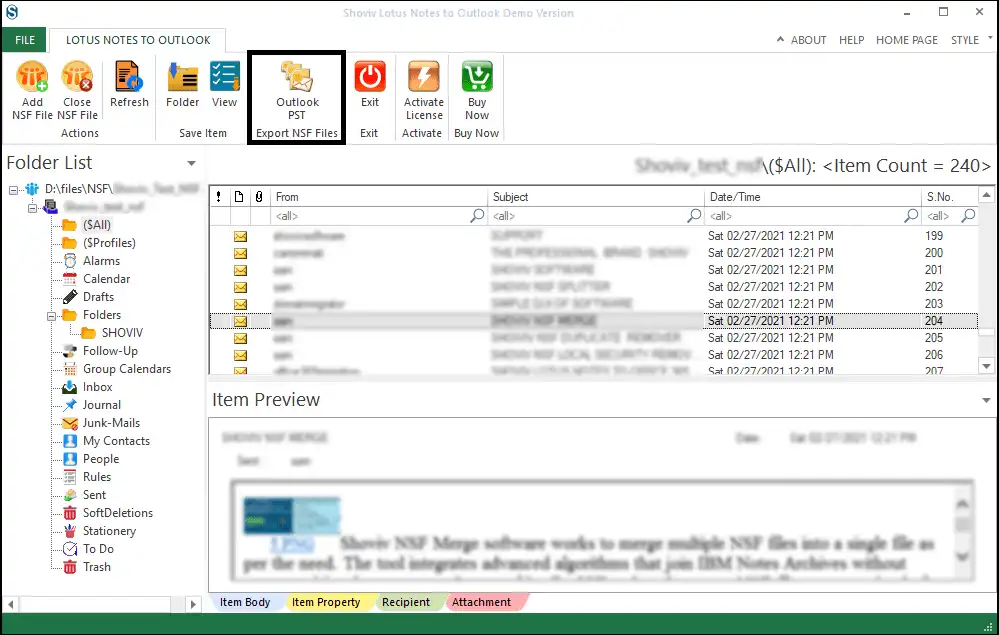
- Before beginning the NSF to PST conversion, users can view the added NSF files with its preview option.
- Users can find the desired items by quickly adding the specific field name with its search option.
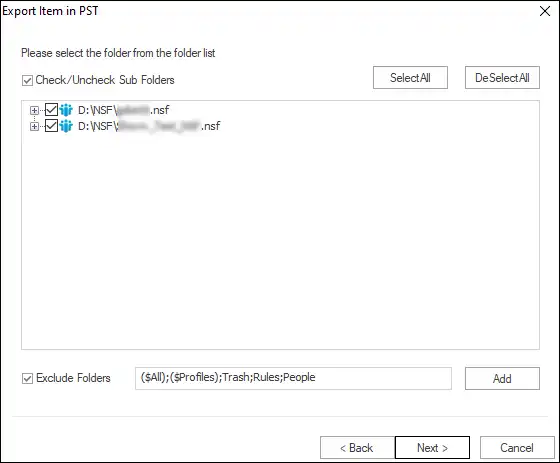
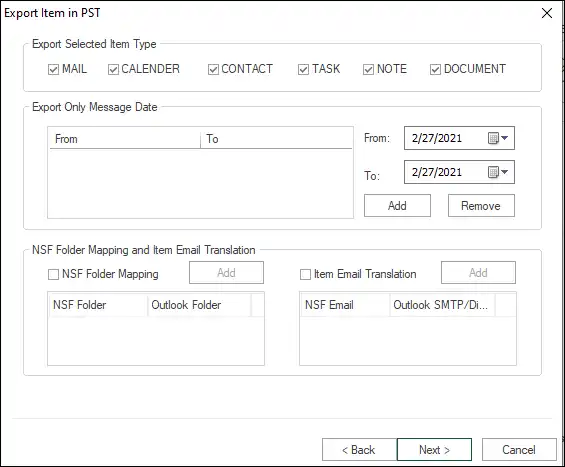
- This tool also offers a filter option for the users, which helps them to include or exclude the items before processing NSF to PST conversion task.
- Its user-friendly GUI makes this tool more accessible to users.
- Shoviv NSF to PST Converter Tool runs in all versions of the Windows operating system, Lotus Notes, Domino Server, and MS Outlook.
Shoviv also offers a free demo version of this software which helps users to examine its features. It also allows users to process the first 50 items per folder. Moreover, Shoviv also provides free 24*7 customer support to the users.
Conclusion:-
In conclusion, we suggest you use a Shoviv NSF to PST Converter Tool, which performs this task without losing a single data. In the earlier section, we have mentioned this software's advanced features, which convert NSF to PST files effectively. Now, everything depends upon the user's mind with which method they want to go.
Media Contact
Shoviv Software support@shoviv.com 08171144903 Software Technology Park of India (STPI), IT Park Sahastradhara Road https://www.shoviv.com/




