Dehra Dun Cantonment, Uttarakhand Dec 16, 2022 (Issuewire.com) - Outlook is a part of Microsoft, which is used to send and receive emails and includes features like a calendar, task management, contact management, journal, web browser, and notes. Outlook stores data in a file called PST (personal storage table). Which has a feature to protect data with a password and is easy to access and port; hence it is preferred by users. It can also store up to 50 G.B. of the mailbox data. On the other hand, Lotus Notes is an application that contains multiple components like an address book, calendar, emails, etc.
But the reason why users consider migrating from lotus Notes to Outlook is that it has higher maintenance cost as compared to Outlook. Another reason can be that the user interface of Outlook is much more user-friendly than Lotus Notes. Outlook has the option to login into multiple accounts at a single time, whereas in Lotus Notes, you can create one account at a time. Therefore users consider converting Lotus Notes to Outlook. Do you have a question about how to convert Lotus Notes to Outlook? If this type of question is in your mind, you can read the following page to find the best answer.
Methods to convert Lotus notes to Outlook-:
There are two methods to execute Lotus Notes to Outlook conversion task. Both ways are mentioned and discussed below-:
- Manual way- users can face complications while performing the task manually, which can result in chances of human error. This situation can be the reason for losing data, which is a great risk for an organisation. This risk can change the whole scenario of an organisation. Therefore you have to be an expert in technical work. Otherwise, you can lose all your data if any error occurs.
- Professional way- as the method's name includes professional, which means that professionals prefer it to execute Lotus Notes to Outlook conversion tasks. This means there is no such risk of losing data. Therefore, the best solution to your question about how to convert Lotus Notes to Office 365 is using the best professional tool, Shoviv Lotus Notes to Outlook Converter Tool.
You will find the features of the tool below-:
- Users can add as many NSF files to convert to PST because the software does not has any limitation in file size.
- On reaching the limit, the PST files can split automatically with the help of software as it provides an option to set the resultant size of PST files.
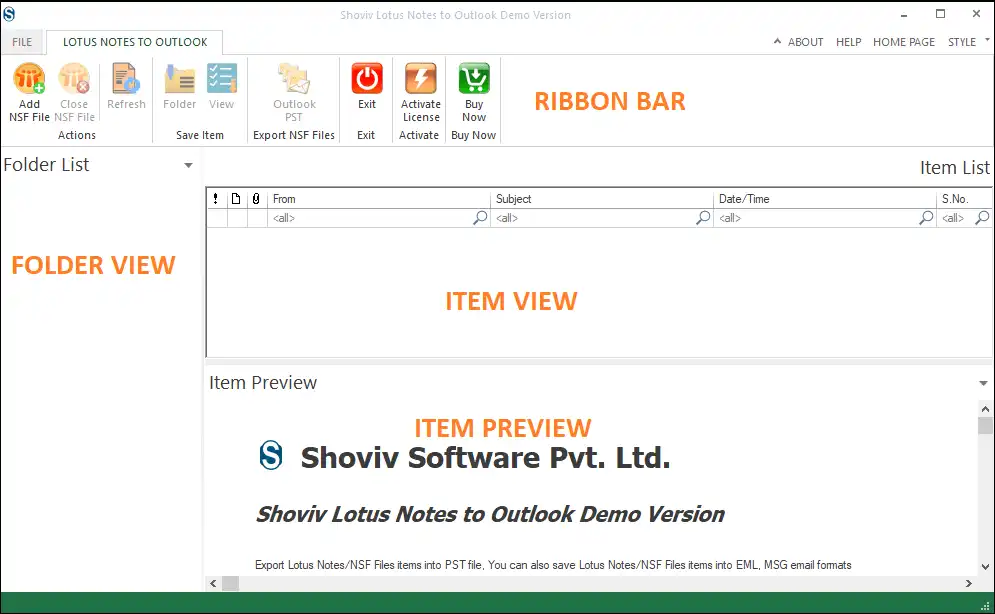
- The user-friendly GUI makes the Lotus Notes to Outlook conversion task easy for even users who are non-techs.
- There is no alteration in the data and folder hierarchy which is why it is the safest software to execute conversion tasks.
- With the Incremental export feature, users can resume the task from the last ended point and prevent data from duplicity.
- You can use the filter option to filter out data by eliminating unwanted items and including the desired items.
- The software is compatible with all versions of Lotus Notes, Domino Server, MS Outlook, and Windows OS.
Wind-up
Comparisons and reason why user converts Lotus Notes and Outlook are discussed above in the article. At last, the result is that the manual method has many drawbacks and limitations, which are risky. However, the best answer to your question; is how to convert Lotus Notes to Outlook is Shoviv Lotus Notes to Outlook Conversion Tool. You can download and run the free demo version of the software before buying and can get familiar with the software. If a user has any queries about the software's working, a 24*7 technical support team is available for every user.
Media Contact
Shoviv Software support@shoviv.com 08171144903 Software Technology Park of India (STPI), IT Park Sahastradhara Road https://www.shoviv.com/