Richmond Hill, Ontario Nov 17, 2026 (Issuewire.com) - Ecomwith, a bilingual learning and tools site for online sellers, has released Store Inspector, a free Chrome extension that shows what a public website or online store is built with. Version 0.6.3 is listed on the Chrome Web Store, updated October 31, 2026.
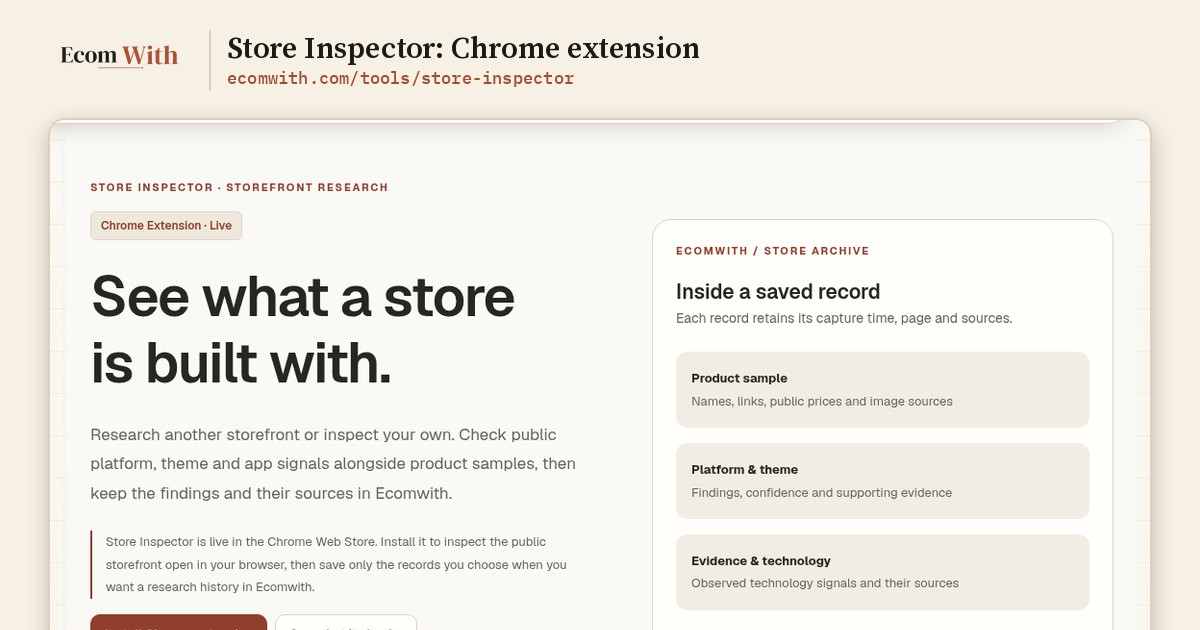
The extension is meant for a routine part of ecommerce work: looking at a competitor's store, a supplier's site or your own shop and asking which platform, theme and apps it uses, and what it sells. Sellers usually piece this together from page source, browser developer tools and guesswork. Store Inspector runs the check on the page already open in the browser. A click on the toolbar icon opens a side panel that lists the theme, the apps the page loads and the technology behind it, each with a confidence level and the source it came from.
The product page names six commerce platforms the extension looks for: Shopify, WooCommerce, BigCommerce, Wix, Squarespace and Webflow. On Shopify and WooCommerce stores it also shows the published product count and a labeled sample of products with public prices. Anything that only runs on a server is reported as unknown instead of guessed, and conflicting theme signals are left unresolved.
No account is needed. According to the Chrome Web Store listing, snapshots stay in the browser unless the user exports or sends one, and account, cart, checkout and customer pages are never read. Users who want a research history can pair the extension with an Ecomwith account using a token and send only the records they choose. Saved records export as JSON, a products CSV or an evidence CSV. The extension needs Chrome 116 or later.
Version 0.6.3 adds three things beyond a single look at a page. Watch keeps a small record in the browser for a store the user picks, and each later scan is compared with the last one: theme, apps, published product count, same-currency prices and new products. Nothing runs in the background; the record only changes when the user opens the store and scans again. A report can be saved as an HTML or Markdown file, built on the user's computer and never uploaded. An app weight view takes the performance data Chrome recorded for that one page load and shows the requests, bytes and script time linked to each app the extension recognised. The product page is careful to say this is not a speed score.
The product page is also plain about the limits. A product list is a sample from the moment of capture, not necessarily the full catalog, and the technology findings are not a complete list of every app a store has installed.
"I built Store Inspector because I kept opening page source to answer the same questions about other stores: which theme is this, which apps are loading," said Ranfeng Wei, founder of Ecomwith. "When the extension can't find evidence for something, it says unknown. I'd rather it do that than guess."
A step-by-step guide to a first scan was published on the Ecomwith blog on November 2, 2026. The install link and details are at https://ecomwith.com/tools/store-inspector, and the guide is at https://ecomwith.com/blog/store-inspector-guide.
About Ecomwith
Ecomwith (https://ecomwith.com) is a bilingual English and Chinese learning and tools site for people who run online stores, most of them on Shopify. It publishes 20 tutorial series with 214 lessons arranged by store stage, 16 practical tools including Store Inspector, and a weekly review of ecommerce platform changes. Free lessons need no account; Pro ($20 a month) and Max ($200 a month) unlock member lessons.
Media contact: Ranfeng Wei, Ecomwith — des@ecomwith.com
Media Contact
Ranfeng Wei, Ecomwith des@ecomwith.com https://ecomwith.com