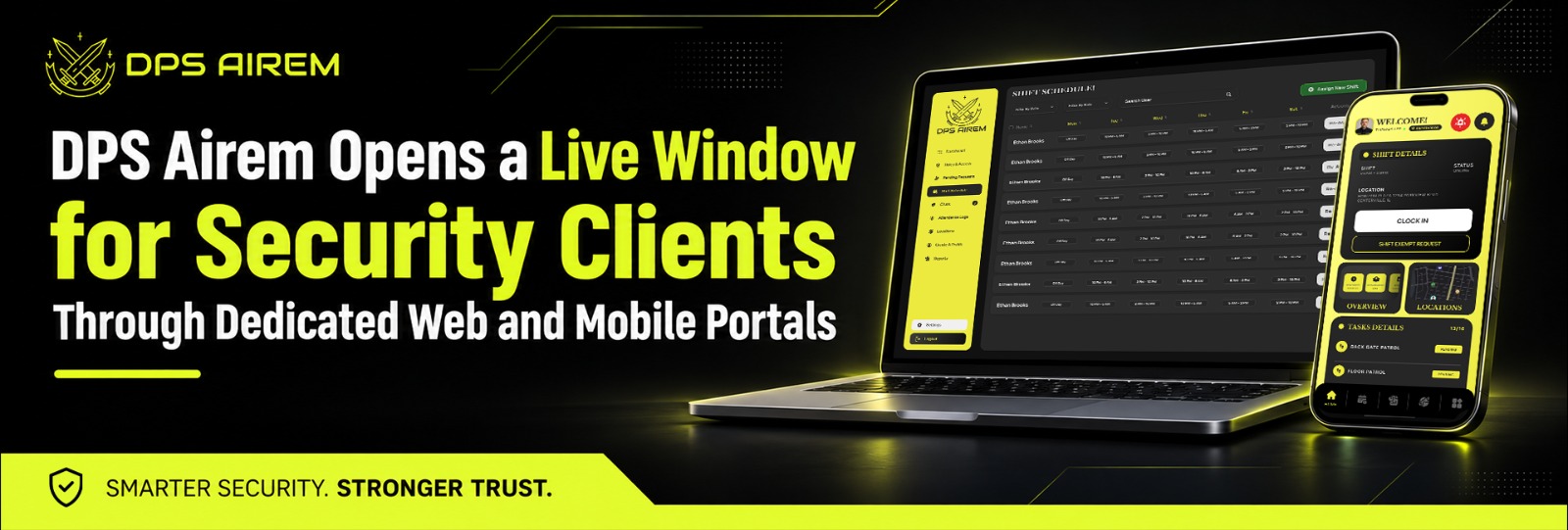
Seattle, Washington Nov 4, 2026 (Issuewire.com) - DPS Airem today put the spotlight on the client-facing side of its cloud-based workforce management platform: a Client Web Portal and a Client Mobile App that let the customers of security firms see what's happening at their own sites, as it happens. Reports. Site tours. Tracking history. Schedules. Incident logs. Clients log in and look, and the back office stops playing messenger.
Every security contract rests on one quiet question. Is somebody actually out there? Property managers, hospital administrators, campus facilities teams and residential boards all pay for coverage they can't watch themselves, and the answer they get usually arrives secondhand. A weekly email. A PDF on Monday about what happened Thursday. A call to the guard company, which calls the supervisor, which calls the guard.
Security firms feel that gap from the other side. A client who can't see the work starts to wonder whether the work is happening, and that doubt has a way of surfacing at renewal time. Meanwhile the back office burns hours assembling reports, answering where-was-your-guard-at-2-a.m. questions by hand, and forwarding documents that were stale by the time they were sent. Paper reports get lost. Emails get buried. Good work goes unseen, which, in a business where the product is reassurance, is an expensive kind of invisible.
DPS Airem gives clients a door of their own. The Client Web Portal provides secure access to reports, schedules, tracking history and site data insights, and the Client Mobile App carries that view onto a phone, so a facilities manager can check post site activity from a parking lot instead of waiting on an email. Clients can follow guard movements through live tracking, read incident reports and daily activity reports (DARs), review site tours, and look at who's scheduled where. The security firm decides what each client sees. Clients can then invite colleagues and manage access inside their own organization.
Picture the call a hospital administrator might make after a quiet night shift. Did the lobby get patrolled? Was anyone at the loading dock when they were supposed to be? Under the old routine, somebody at the security firm digs through logs, writes an email, attaches a file and hopes it's the right one. Under the portal, the administrator opens the app, checks the site tours and tracking history for that post, reads the shift's reports, and closes the loop without a single phone call. The security firm never hears about it, which is exactly the point.
What clients see is only as believable as the field data behind it. Site tours can be created and assigned to guards to keep them active on site, using NFC, QR or virtual tags that are simple to program, and clients can review those tours in their own portal. Geofencing defines a virtual perimeter and flags violations on the dashboard. Idle alerts show which guard has been inactive, and when. Guards writing reports on patrol don't have to worry about losing a half-finished entry, because drafts save automatically while they type and walk the site.
Reporting is where the workload tends to pile up. Custom report templates let a firm define the criteria for each client and reuse them cycle after cycle, so each client's format gets built once. The platform can produce up to 25 different report types in real time, and the Professional plan adds automatic emailed reports for the clients who still prefer an inbox to a login.
Firms get a sharper view of their own operation along the way. Analytics for the scheduler and reports present key data graphically, and the hours-by-report filter breaks payroll and time clock results down by client, post site, skill set, or department. When a client asks a question about hours or coverage, the answer is a filter away instead of an afternoon of spreadsheets.
The portal draws on the same platform the back office already runs. A guard confirms a shift, clocks in, files a report, and the information sits where it's needed. One set of records serves operations and the client alike. Firms bidding on new work get something concrete to put on a screen, too.
Guards fill in the other half of the picture. Passdown logs let the guards on a post share important information with whoever relieves them, post orders stay current in one place, and checklists and tasks can be assigned on site and tracked in reporting. Clients tend to experience all of that as consistency, even if they never see the mechanics.
Attendance is the other thing clients quietly worry about. Guards confirm each shift in the app and give a live status, so the back office knows who is on duty before the first patrol begins. Clock-ins run on GPS verification, QR codes and geofencing, and the portal's module list includes the time clock and scheduler alongside reports and tracking. A client doesn't have to take anyone's word for who was on the post.
Opening a window raises a fair question about what else becomes visible. Access is role-based, and the firm controls what each client user can see. Back-office accounts support two-step authentication, and the platform keeps a login history for back-office users showing the username, timestamp and browser.
The same question follows security teams into every kind of site DPS Airem serves. Corporate security managers answer to executives. Healthcare security teams answer to administrators who need to know that staff and patients are covered. Government offices, residential communities and campuses each have their own stakeholders asking, in their own words, whether the place is being watched. A portal that shows the work answers most of them before a meeting gets scheduled.
The mobile side matters more than it sounds. Property managers and facilities leads spend their days moving between buildings, so checking reports, site tours, or GPS tracking from a phone fits how they actually work.
"A client paying for coverage wants to see that the post is covered and that somebody is paying attention," said [Spokesperson Name, Title] at DPS Airem. "The portal lets the firms we work with show that directly, without sending a thing."
What Clients Can See
- Live tracking, plus tracking history for guards on their post sites
- Site tours and the checkpoints behind them
- Incident reports and DARs
- Custom reports built to the format that client asked for
- The scheduler and time clock records
- Vehicle patrol activity, where firms have set up predefined routes
- Invoices and estimates, so a billing question and a patrol question get answered in the same place
- Multi-user access, with the client's own team sharing the view
Availability and Pricing
DPS Airem is available now. New organizations can start with a 30-day risk-free trial. Pricing starts at $5 per user per month on the Essential plan, with a minimum of three users, and annual billing lowers the entry price to $4.25. The pricing page lists client portal web access and the client mobile app among the platform's core features, while site tours and automatic emailed reports sit on the Professional plan, so it's worth checking which plan matches the reporting a firm wants to offer. The pricing page describes Professional as a fit for security companies with multiple clients, which is where per-client reporting earns its keep.
Firms that want to see it before committing can start with the demo page. The platform also lists live chat support, a support center with walkthrough videos and 24/7 multi-language support among its features.
A client who can see the work has fewer reasons to ask whether it's happening. Thirty free days at DPSAirem is enough time to put that to the test with a real account.
- Website: https://dpsairem.com/
- Features: https://dpsairem.com/features
- Pricing: https://dpsairem.com/pricing
About DPS Airem
DPS Airem is a cloud-based workforce management platform for security firms, corporate security teams, healthcare facilities, government offices, residential communities, campuses and other organizations running teams across multiple sites. It brings scheduling, GPS-verified attendance, live tracking, geofencing, reporting, incident management and payroll exports into one system, with web dashboards for back-office teams and mobile apps for guards and clients. DPS Airem is based in Seattle, Washington.
Media Contact
DPS Airem Support Team
(+1) 206 696 2281
https://dpsairem.com/contact-us/
Media Contact
Inceptives Digital *****@inceptivesdigital.com